
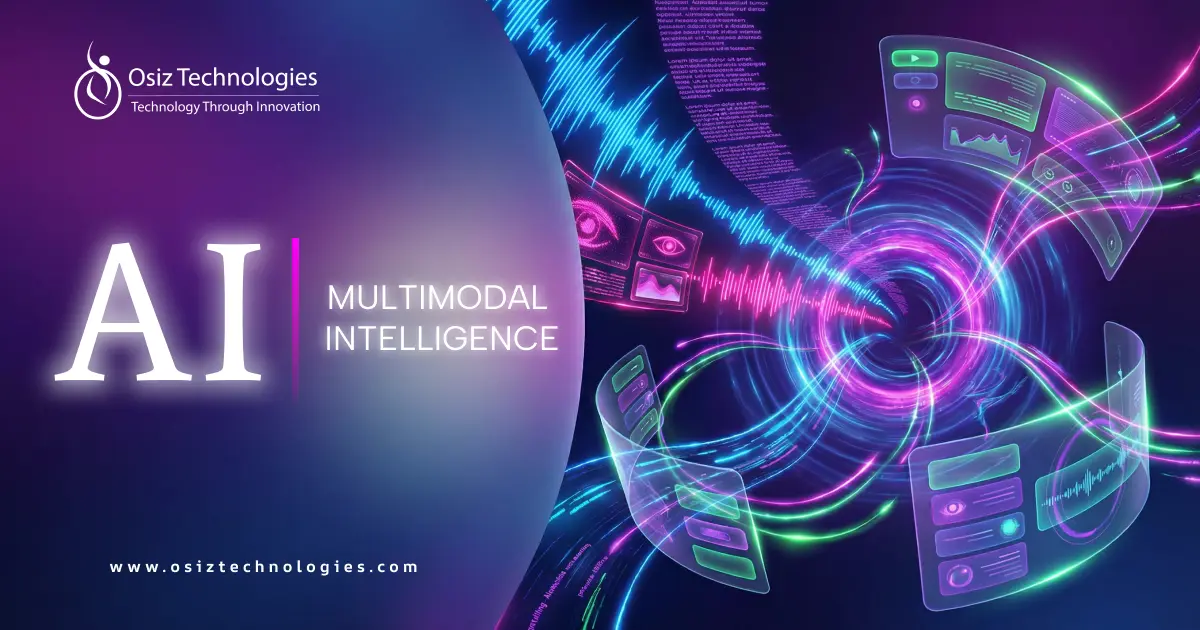
By 2026, expect user interfaces to move past simple screens. People want interfaces that feel natural and react quickly. The goal is for interfaces to understand what users want, not just follow orders. This change means using sight, sound, touch, and context to create experiences that adapt as you use them. Multimodal intelligence drives this, letting designers put people first. Clear, accessible, and relevant design will become the norm.
What Is Multimodal Intelligence?
Multimodal intelligence involves AI systems capable of processing, interpreting, and combining data from various types or sources in real time. While conventional AI models are restricted to one type of input such as text or images multimodal AI replicates human perception by integrating multiple senses like vision, sound, language, and touch, enabling a deeper, more holistic understanding and producing more contextually appropriate responses.
Design Principles for Multimodal Interfaces
Modality Harmony
Multimodal UX design makes sure voice, touch, sight, and gestures all work well together. This builds smooth, natural interactions that guide people easily.
Context First Design
Interfaces that are aware of the context pay attention to users' location, the current time, their activities, and their intentions.
Progressive Disclosure
Multimodal systems share info bit by bit, based on what people do and like. This keeps things simple and makes the experience personal.
Accessibility by Default
Multimodal interfaces include everyone by offering different ways to interact. People can use voice, gestures, or visuals, so no one is left out.
Feedback and Transparency
When the system gives clear feedback across different inputs, it builds trust. Users quickly understand what's going on, which makes them want to use the interface more.
1. The Shift from Single-Mode to Multimodal Interfaces
Instead of just typing or tapping, systems will use many ways to understand us, like our voice, face, and habits. This will make them feel like they know what we want before we even ask. This change will really affect what's important in UX design: making things fast, easy, and emotionally smart.
As systems get better at using all these signals, they'll get easier to use. People can switch between talking, typing, or touching without thinking about it. This prioritizes people in the design process and ensures systems function seamlessly across all devices, locations, and use cases, marking the next evolution in intelligent user technology.
2. Multimodal Inputs Replacing Traditional UI Elements
Voice and Conversational Input - Interacting with devices will be easier than going through menus; you can just talk to them.
Gesture-Based Controls - Using gestures will feel intuitive, particularly in virtual reality, allowing for easier control of objects without physical contact.
Visual Recognition Inputs - Devices will see how you look and what you're focused on. This helps them understand what you need in the moment.
Touchless Motion Inputs - Motion sensors will let you interact from a distance, which is good for public spaces and helps people with disabilities.
Environmental and Sensor Data - Factors such as location, motion, and lighting can influence how devices respond, making the interaction feel more tailored to the user.
3. Context-Aware Interfaces Powered by Multimodal Intelligence
Adaptive Smart Displays
Screens that adjust content based on user proximity and attention enhance an intelligent user experience without explicit commands.
Predictive Navigation Systems
Interfaces anticipate user goals using combined inputs, streamlining decision-making within the future of user interfaces framework.
Emotion-Aware Applications
Systems interpret emotional cues to tailor responses, deepening engagement through personalized UX design.
Environment-Sensitive Controls
Interfaces adapt behavior based on surroundings, supporting seamless interaction across contexts using multimodal intelligence.
Behavioral Learning Interfaces
Continuous learning from user patterns enables evolving experiences that strengthen human-centric UX design.
4. Personalized UX Through Combined Modalities
Preference-Driven Interface Adaptation - The system watches what you do and makes changes to give you a custom feel.
Cross-Device Experience Continuity - Encounter the same experience regardless of the device you use.
Real-Time Content Customization - The system uses your voice and actions to show you content that's right for you.
Accessibility-Centered Personalization - Users can choose how they want to interact with the system.
Adaptive Feedback Mechanisms - The system learns from what you say to make sure its answers are on point.
5. Hands-Free and Natural Interfaces in Everyday Use
Voice commands, gestures, and systems that understand what you need will take over from tapping and swiping. This change makes things easier, safer, and more accessible, while also making user interfaces feel more natural, both at home and at work.
As technology gets smarter at understanding us, our devices will react more smoothly to how we naturally act. This will let people use different devices in different places without any trouble. This trend in UX for 2026 is all about making tech comfortable, efficient, and easy to control.
Multimodal UX in Real-World Applications
Smart Homes
Smart homes use voice, gestures, and sensors to react in a way that feels natural. They change lighting, temperature, and automation as needed based on what you do and what's happening around you.
Healthcare Systems
Data inputs improve health checks and keep an eye on patients by using data inputs. Mixing AI with easy-to-use interfaces helps doctors and patients practically. This improves how correct, easy to get to, and constant patient care is.
Automotive Interfaces
Car interfaces designed for drivers combine voice inputs, visual displays, and touch controls, adapting to different driving situations to maintain focus and enhance both safety and pleasure behind the wheel.
Retail Experiences
Shopping experiences that know what you need use signs from your behavior and surroundings to make your shopping feel personal. They guide you with suggestions and ways to interact to help you feel more involved.
Enterprise Workflows
Business operations become more efficient through work tools that combine voice, text, and images, enabling faster collaboration, smarter task management, and reduced issues powered by AI-driven designs.
Conclusion
By 2026, interfaces will focus on intuitive collaboration, multimodal intelligence, contextual awareness, and personalization. This change moves us away from simple commands and toward systems that understand and work with users.
As these interfaces continue to evolve, they will redefine what we expect from technology in terms of accessibility, speed, and emotional connection. This shift will establish new standards for human-centric UX design. Businesses that adopt multimodal AI will benefit from stronger engagement, smoother usability, and long-term relevance in an ever-changing digital landscape. AI development company like Osiz play a crucial role in this transformation, delivering UX solutions that blend advanced technology with genuine user needs helping businesses lead the way toward smarter, more intuitive user experiences.
Listen To The Article

Founder & CEO Osiz Technologies
Mr. Thangapandi, the CEO of Osiz, has a proven track record of conceptualizing and architecting 100+ user-centric and scalable solutions for startups and enterprises. He brings a deep understanding of both technical and user experience aspects. The CEO, being an early adopter of new technology, said, "I believe in the transformative power of AI to revolutionize industries and improve lives. My goal is to integrate AI in ways that not only enhance operational efficiency but also drive sustainable development and innovation." Proving his commitment, Mr. Thangapandi has built a dedicated team of AI experts proficient in coming up with innovative AI solutions and have successfully completed several AI projects across diverse sectors.
Recent Blogs



No 22,Astalakshmi Nagar, Thanakankullam, (Opp Seetha lakshmi Mill gate Bus stop) Thirunagar, Madurai - 625 006.
(Corporate Office)


Canada Office address, 1150, Rue Patrick, Laval, Quebec - H7Y 2C4, Canada.
(Sales Office)


Meydan Grandstand, 6th floor, Meydan Road, Nad Al Sheba, Dubai, U.A.E.
(Sales Office)


Halloween
Offers

 Artificial Intelligence
- AI Development
- AI Predictive Analytics Services
- AI SaaS Development
- RAG Development
- AI Assistant Development
- ChatGPT Development
- Data Analytics Services
- AI Copilot Development
- Adaptive AI Development
- Machine Learning Development
- NLP
- AI Consulting Services
- AI Software Builder
- AI Token Development
- AI Integration Services
- Enterprise AI Solution
- AI As a Service
- AI Marketing Tools
- AI Video Generator
- Computer Vision Services
- Explore AI
- Dataset
- Machine Learning in Healthcare
- Machine Learning in Retail
- Hire AI Engineers
- Hire Prompt Engineers
- Hire ChatGPT Developers
- Hire Stable Diffusion Developers
- Hire Action Transformer Developers
- Blockchain
- Blockchain Development
- Private Blockchain Development
- Smart Contract Development
- Custom Blockchain Development
- Solana Blockchain Development
- Polygon Blockchain Development
- Public Blockchain Development
- DAO Blockchain Development
- Binance Smart Chain (BSC) Blockchain Development
- DApp Development
- Solana DApp Development
- White Label Blockchain Solutions
- Custom Blockchain On Avalanche
- Custom Blockchain On Polygon
- Blockchain Game Development
- Blockchain Consulting Services
- Blockchain Explorer Development
- Ethereum Blockchain Development
- TRON Blockchain Development
- Prediction Market Platform Development Company
Layer 1 & 2 Solutions- Layer-1 Blockchain Development
- Cross Chain Bridge Development
- Data Availability Layer Development
- Ethereum Layer 2 Scaling Solutions
- Cross-L2 DEX Solution
- Layer 2 Token Development
- Layer 2 Token Marketing
- Layer 2 Cryptocurrency Development
- Layer 2 Solutions For Blockchain Games
- Layer 2 Solutions For Web3 Gaming
- Layer 2 Blockchain Solutions
- Rollups As A Service
- Optimistic Rollups Development
- ZK Tech Development
- Bitcoin Layer 2 Solutions
Crypto Exchange- Cryptocurrency Exchange Development
- White Label Crypto Exchange
- Decentralized Exchange Development
- P2P Exchange Development
- Crypto Derivatives Exchange Development
- Centralized Exchange Development
- Crypto Exchange Clone Script
- Cryptocurrency Exchange App Development
- OTC Exchange Development
- Exchange Listing Services
- Binance Like Exchange Development
- Bitstamp Like Exchange Development
- Crypto Exchange Script
CryptoCrypto WalletToken Standards- Token Development
- AI Token Development
- RWA Tokenization Development
- Coinremitter Clone Script
- Asset Tokenization
- Real Estate Tokenization
- Tokenization Platform Development
- Crypto ETF Development
- Solona Token Development
- Semi-Fungible Token Development
- BEP20 Token Development
- Ethereum Token Development
- ERC1400 Token Development
- ERC998 Token Development
- ERC 721 Token Development
- ERC20 Token Development
- Defi Token Development
- ERC1155 Token Development
- BEP721 Token Development
- Utility Token Development
- ERC 777 Token Development
- ERC 827 Token Development
- Social Token Development
- Metaverse Token Development
- Tron Token Development
- ERC404 Token Development
- Governance Token
- Shibarium Token
- polygon Token
- BRC-20
- TRC20 Token Development
- TRC10 Token Development
- Soulbound Token Development
- NFT Token Development
Trading BotsClone- Crypto Exchange Clone Script
- Binance Clone Script
- Metamask Clone Script
- Coinbase Clone Script
- Kucoin Clone Script
- Paxful Clone Script
- Remitano Clone Script
- Wazirx Clone Script
- ByBit Clone Script
- Bitfinex Clone Script
- MEXC Clone Script
- Bitget Clone Script
- Cointool App Clone Script
- Trust Wallet Clone App
- Coinmarketcap Clone Script
- Changelly Clone Script
- BingX Clone Script
CybersecurityApp SecurityDigital Forensics & Incident ResponseAudit & ConsultingEducation & TrainingSolutionsWeb 3DeFi- Decentralized Finance (DeFi) Development
- DeFi Lending/ Borrowing Platform Development
- DeFi Staking Platform Development
- DeFi Token Development
- DeFi Wallet Development
- DeFi Smart Contract Development
- DeFi DApp Development
- Decentralized Exchange Development
- DeFi Insurance Development
- DeFi Crypto Synthetic Assets Development
Game Development- Game Development
- Android Game Development
- IOS Game Development
- Metaverse Game Development
- VR Game Development
- AI Game Development
- Unity 3D Game Development
- Unreal Engine Game Development
- Mobile Game Development
- Blockchain Game Development
- NFT Game Development
- Play to Earn Game Development
- Move to Earn Game Development
- Casino Game Development
- Slot Game Development
- Poker Game Development
- AAA Game Development
- AR Game Development
- Social Network Game Development
- Gamification Services
- Decentralized Sports Betting Platform
- Sports Betting Dapp Development
- Blockchain Casino Game Development
- Game Asset Creation
- Baccarat Game Development
- Rollbit Clone Script
- Fortnite Clone Script
- Slot Game Development
- Tap to Earn Game Development
- Slot Game Development
Metaverse Platforms- Metaverse Game Development
- Metaverse Event Platform Development
- Metaverse Virtual Mall Development
- Metaverse NFT Marketplace Development
- Metaverse Token Development
- Metaverse Virtual Land Development
- Metaverse Avatar Development
- Metaverse 3d Space Development
- Metaverse Real Estate Development
- Metaverse Social Media Platform Development
- Top 10 Metaverse Development Company
- Metaverse Business Ideas
- Metaverse Launchpad Development
- Metaverse App Development
- Metaverse Casino Game Development
NFT SolutionsNFT Platforms- NFT Minting Development
- NFT Token Development
- NFT Exchange Platform Development
- NFT Launchpad Development
- NFT Fashion Marketplace Development
- NFT Art Marketplace Development
- NFT Music Marketplace Development
- Carbon Credits NFT Marketplace Development
- Binance NFT Marketplace Development
- Polygon NFT Marketplace Development
- Solana NFT Marketplace Development
- Influencers NFT Marketplace Development
- NFT Ticketing Marketplace Development
- DeFi NFT Marketplace Development
- NFT Fantasy Sports Platform Development
- NFT Storage Development
- NFT Lending Platform Development
- Top10 NFT Business Ideas
NFT Game ClonesSustainabilityServiceNow - Blog
- Contact Us
- Works