I Built a Reusable AI Web Scraper With BrowserAct Agent, and I Never Touched a Line of Code
Can AI really eliminate the complexity of web scraping? I tested BrowserAct Agent to find out.
I Built a Reusable AI Web Scraper With BrowserAct Agent, and I Never Touched a Line of Code
Can AI really eliminate the complexity of web scraping? I tested BrowserAct Agent to find out.
This is a members-only story, but non-members can read it for free here
Disclosure: This article is sponsored by BrowserAct. Every workflow, observation, and conclusion below is based on hands-on testing of the platform.

Web scraping has a reputation problem. Say the phrase out loud, and most people picture Python scripts, broken selectors, and a developer muttering about a website that changed its layout overnight. So when I heard that an AI web scraper called BrowserAct could turn a plain English sentence into a working, reusable scraping bot, I wanted to see if that was actually true or just another AI claim that falls apart under real use.
I tested it on something I actually needed: pricing data from a handful of AI writing tools, pulled into one clean table I could use for a comparison piece. Here's what happened.
The Problem With Collecting Web Data the Old Way
If you've ever tried to track competitor pricing, research leads, or monitor product listings across multiple sites, you know how fast it turns into a chore. You open a dozen tabs, copy numbers into a spreadsheet, double-check you didn't misread a plan name, and then do it all over again the next time something changes.
Developers usually reach for tools like BeautifulSoup, Selenium, or Playwright to automate this. Those tools work well, but they come with real overhead. You need to inspect HTML, write CSS or XPath selectors, handle JavaScript-heavy pages, manage pagination, and keep the script updated every time a site redesigns its layout.
That's a reasonable cost for a technical team. For a solo writer, marketer, or small business owner, it's usually too much just to get a table of numbers.
That gap is exactly what BrowserAct is trying to close. Instead of asking users to configure selectors, you describe the website, the data you want, and the format you expect. The agent explores the site, verifies what it finds, and builds a Bot you can run again whenever you need fresh data.
If you want to see how this works in real time,try BrowserAct here
My Testing Scenario
Rather than run a generic demo, I picked a task I'd genuinely use for my own work: pulling pricing information from several AI software companies and organizing it into one comparison table.
This is the kind of task affiliate marketers, SaaS researchers, and content creators run constantly, usually by hand.
The Prompt I Used
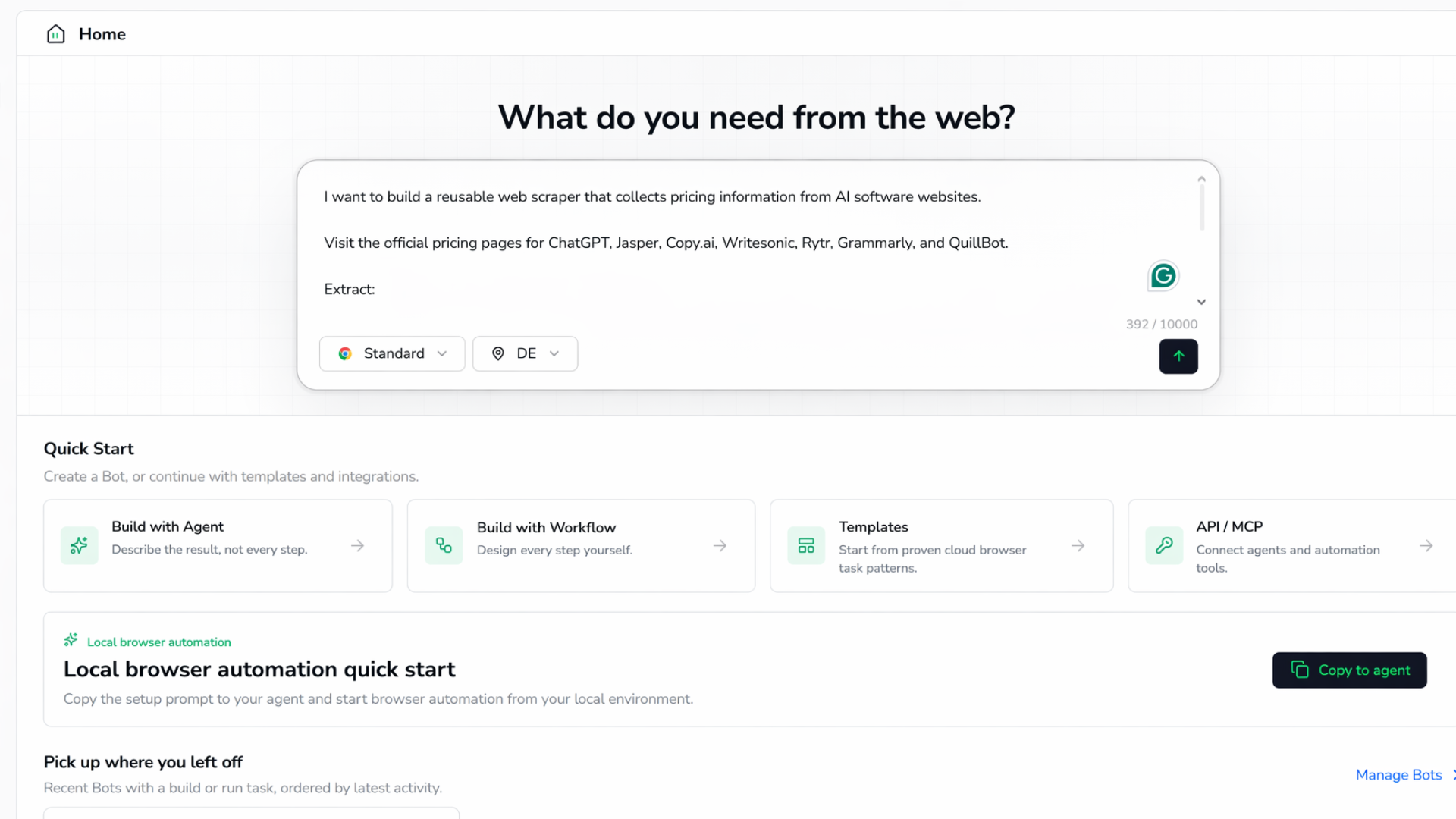
I want to build a reusable web scraper that collects pricing information from AI software websites.
Visit the official pricing pages for ChatGPT, Jasper, Copy.ai, Writesonic, Rytr, Grammarly, and Quillbot.
Extract:
- Product Name
- Free Plan
- Starting Monthly Price
- Annual Pricing
- Enterprise Availability
- Main Features Included
Return everything as a structured table with one row per product.
That was the entire setup. No selectors, no HTML inspection, no code editor open in a second window.
Watching the Agent Actually Work
What stood out immediately is that BrowserAct didn't ask me to configure anything technical. It explored each pricing page, worked out where the relevant information lived, and verified the extraction before turning it into a reusable Bot.
It felt less like programming a scraper and more like handing a research task to an assistant who happens to be very fast and doesn't get bored halfway through the seventh pricing page.
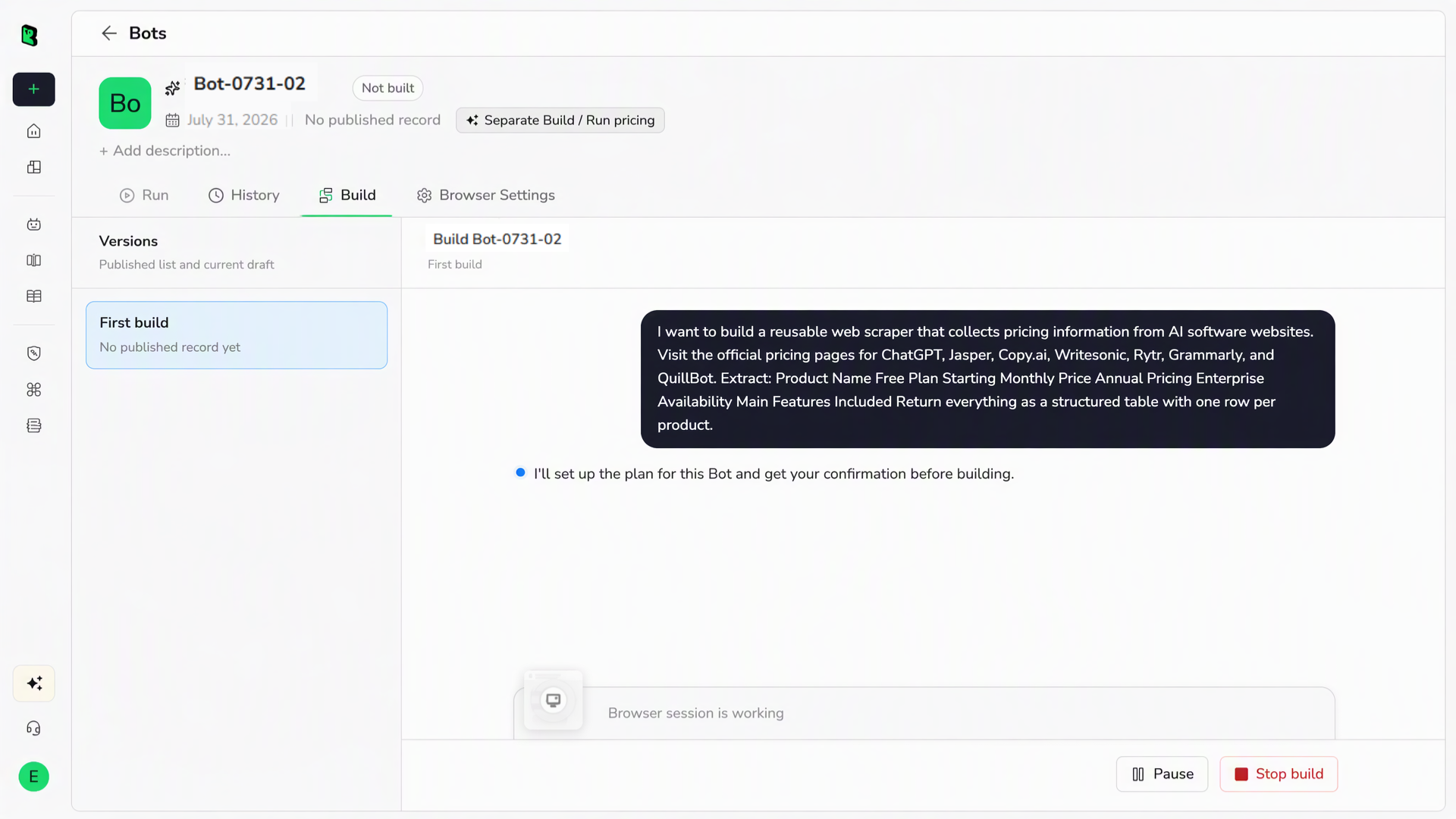
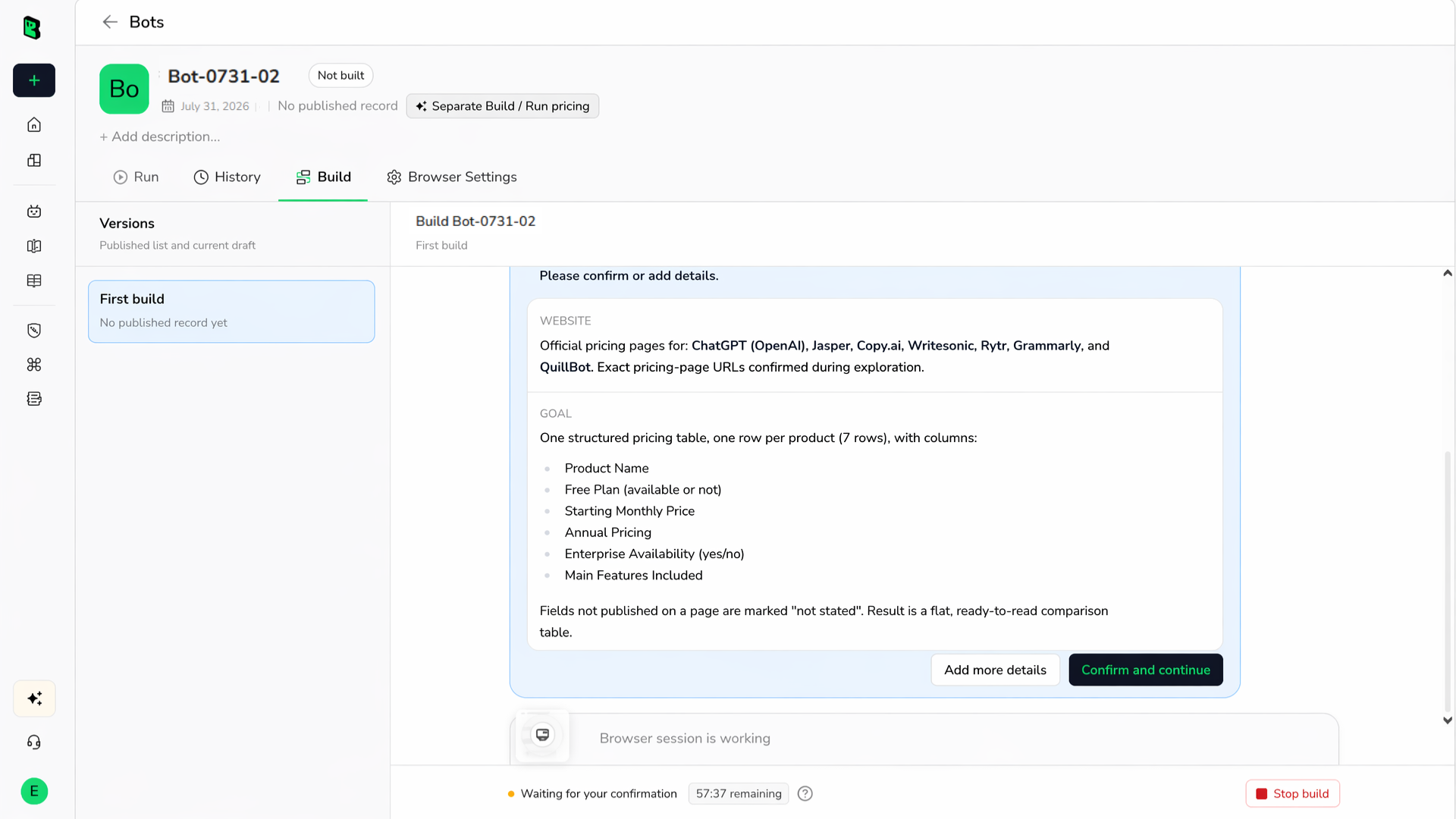
Before touching a single page, the Agent came back with a plan instead of just diving in. It laid out exactly what it intended to build (one table, one row per product, six fixed columns), then flagged two defaults it planned to use unless I said otherwise: prices would show in whatever currency each site displays for the run's network region, and anything a page simply didn't publish would be marked "not stated" instead of guessed. I confirmed, and it moved on.
That confirmation step mattered more than I expected. Once approved, it worked through the seven pricing pages one at a time, gathering evidence before writing any extraction logic. It hit a real snag almost immediately: the ChatGPT page redirected to a German-localized version, so prices showed up in euros rather than dollars. Rather than treating that as an error, it noted it as expected behavior tied to the confirmed currency default and kept going.
Jasper was trickier. Its pricing was split across a monthly and yearly toggle, with the actual numbers scattered across different parts of the page rather than sitting in one clean block. The Agent still pulled both figures correctly, but it's a good example of why "just grab the number on the page" doesn't reliably work on modern pricing pages.
The Results
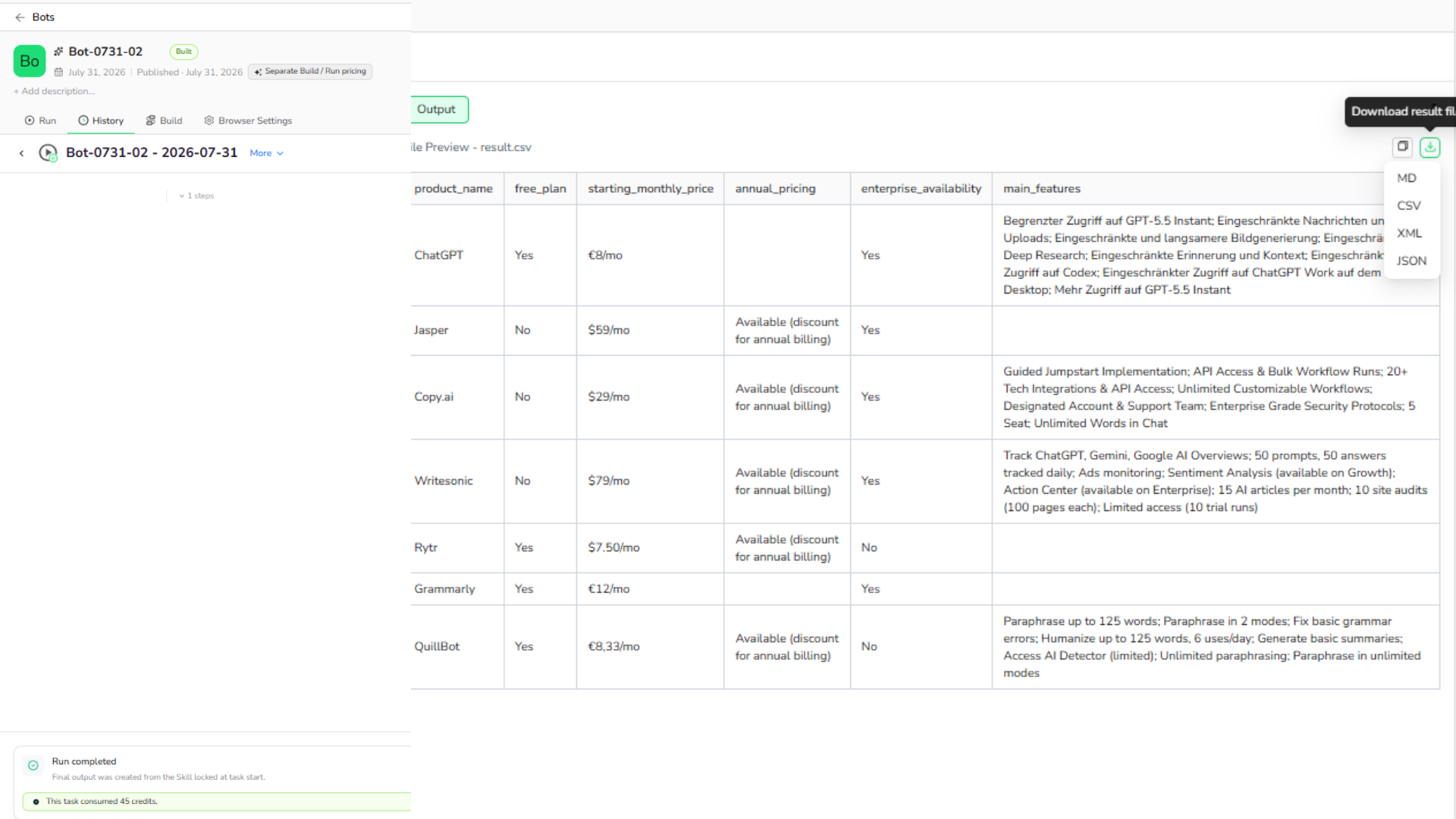
Once the Agent finished, it returned the pricing data as a structured table, ready to export.
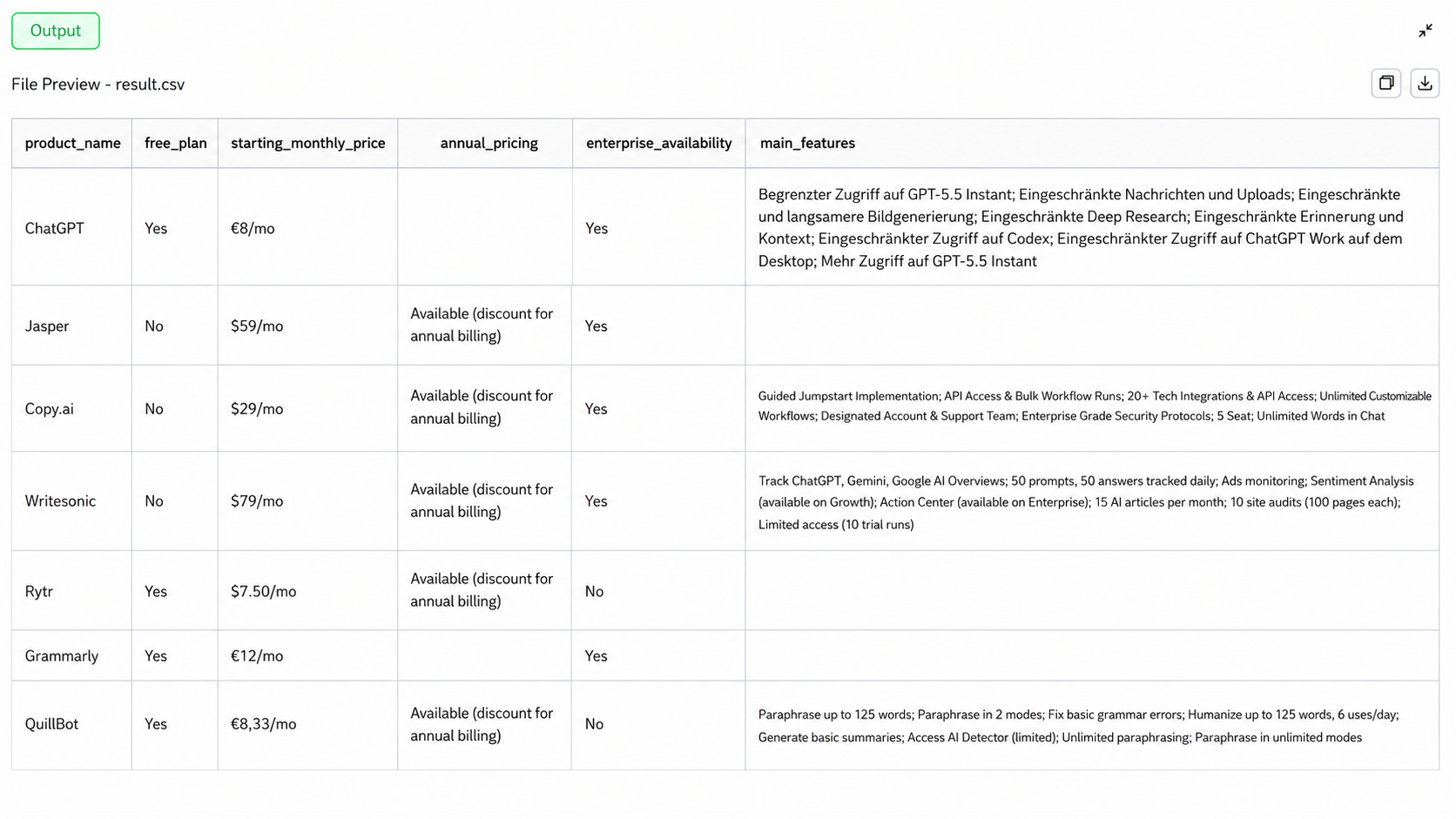
Worth noting before anyone screenshots this table for a comparison post: prices show in whatever currency each site displayed during the run, not one converted currency across the board. ChatGPT, Grammarly, and Quillbot came back in euros because of the network region on that run, while the rest came back in dollars. If you're publishing this kind of table yourself, convert it to one currency first, or readers will assume Quillbot is more expensive than Rytr when it isn't.
Main features came through for four of the seven products (ChatGPT, Copy.ai, Writesonic, and Quillbot), pulled straight from each plan's own feature list rather than summarized or guessed. Jasper, Rytr, and Grammarly don't expose a plain feature list on their pricing pages, so those three came back blank instead of a fabricated one.
Testing the Reusable Bot
The part I wanted to stress test most was the reusable Bot concept itself, since that's the actual selling point over a one-off scraping script rather than the initial build.
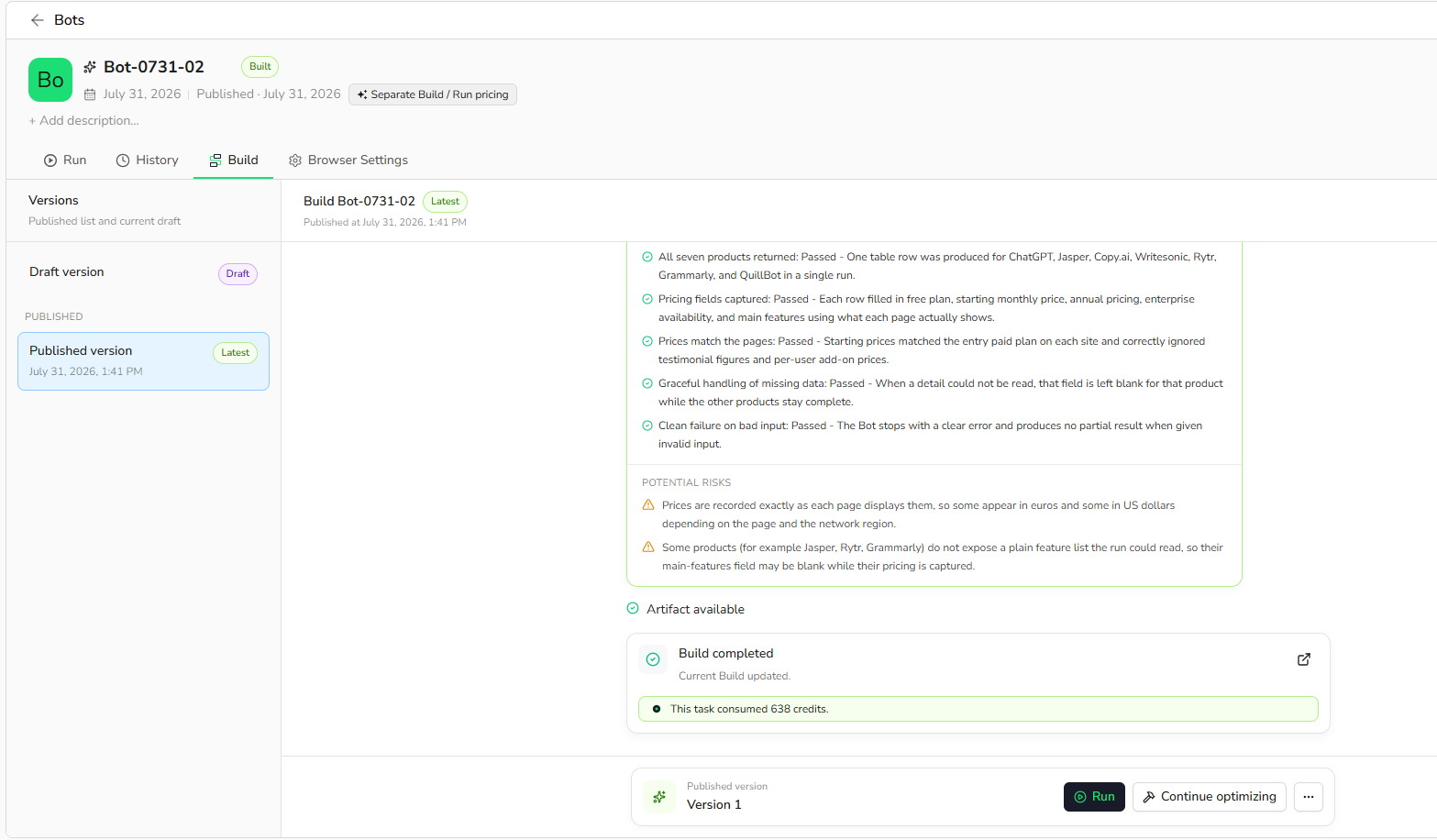
As it turns out, that proof came for free. Reuse isn't a separate step you have to trigger and hope for the best; it's built into how the Bot gets verified in the first place. Before BrowserAct ever handed me the finished table, it ran the completed Bot end to end as its own delivery test and confirmed it produced a correct, seven-row result. From that point on, the Bot sits ready to run again on demand, and each run re-reads the live pages rather than replaying a cached result, so a run next month would pull whatever ChatGPT, Jasper, and the rest are charging at that point, not what they were charging today.
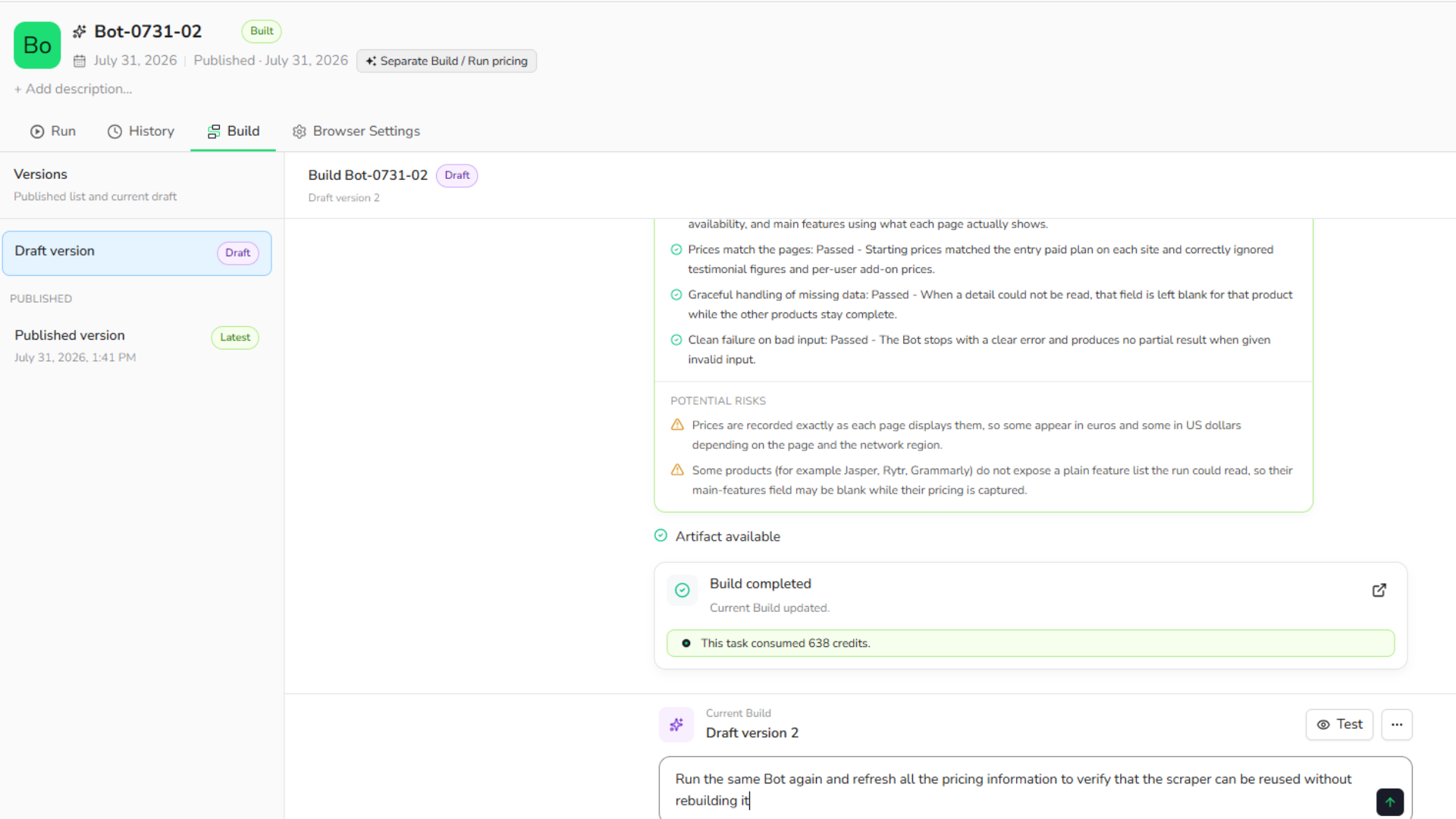
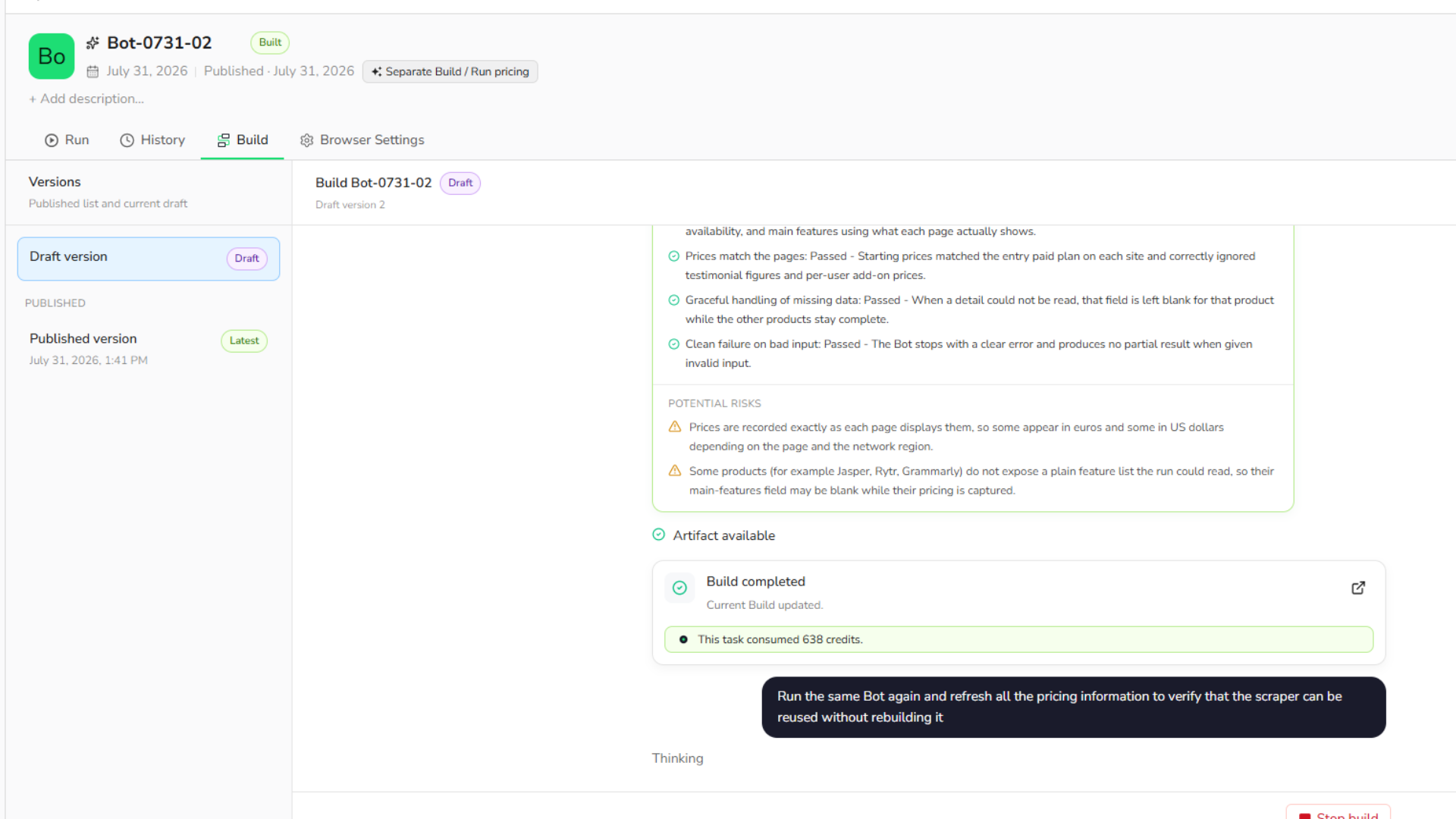
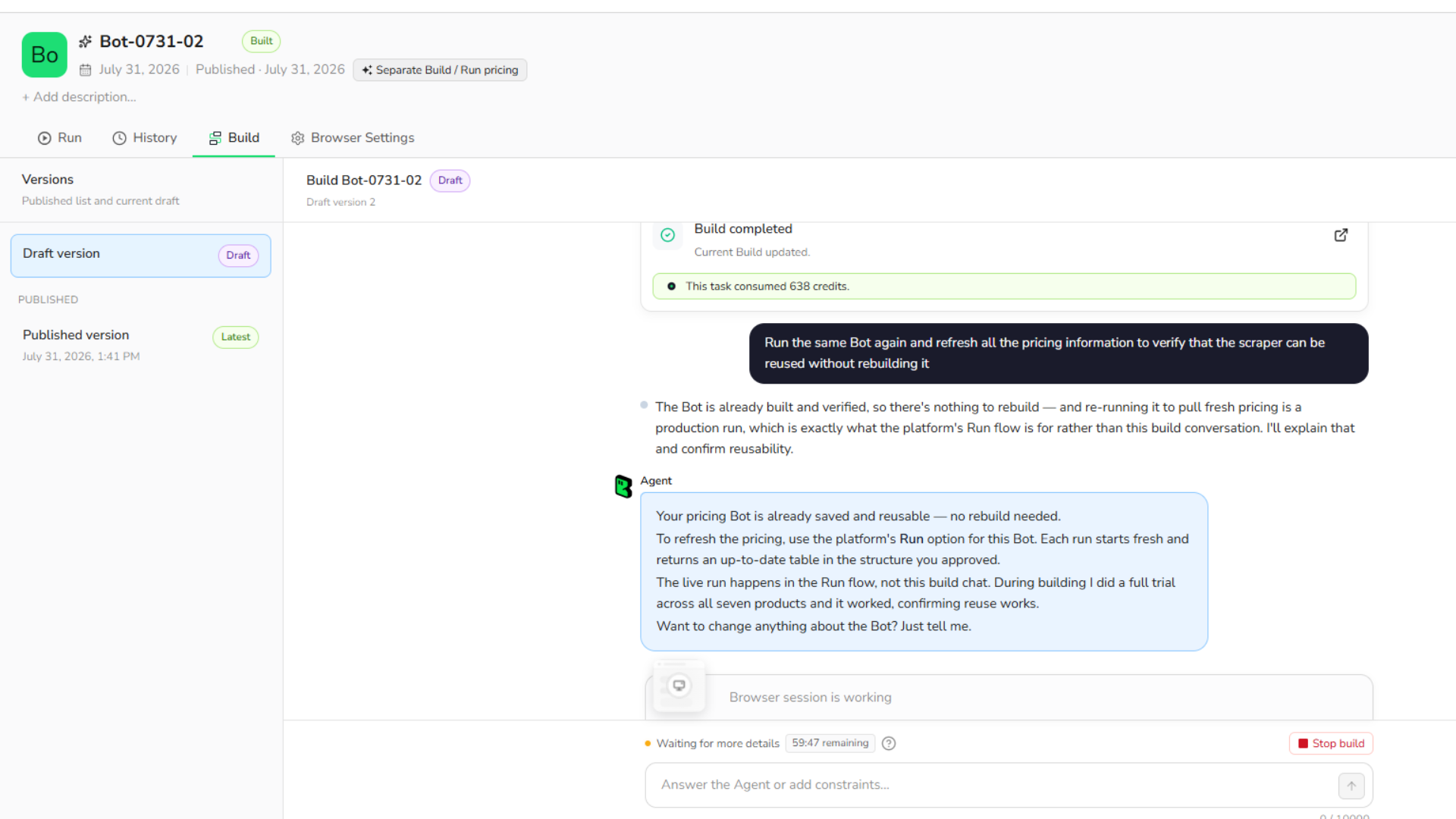
This is where the SaaS pricing data use case really earns its keep. Prices change, plans get renamed, and free tiers quietly disappear. Having a Bot that's already proven itself and sits ready to rerun, instead of rebuilding a scraper from scratch every quarter, is the actual time saver here.
Running the Bot
Once a Bot passes its own build verification, running it again doesn't require touching anything technical. From the Bot's page, there's a Run tab right alongside Build and History. Open it, adjust the input parameters for that run if needed (in this case, the list of pricing pages), and click Run.
That's genuinely the whole step. No selectors, no separate builder to configure, nothing to wire together. The Bot re-reads the live pages and hands back the same structured result it produced during its original build, just with whatever numbers each site is showing today.
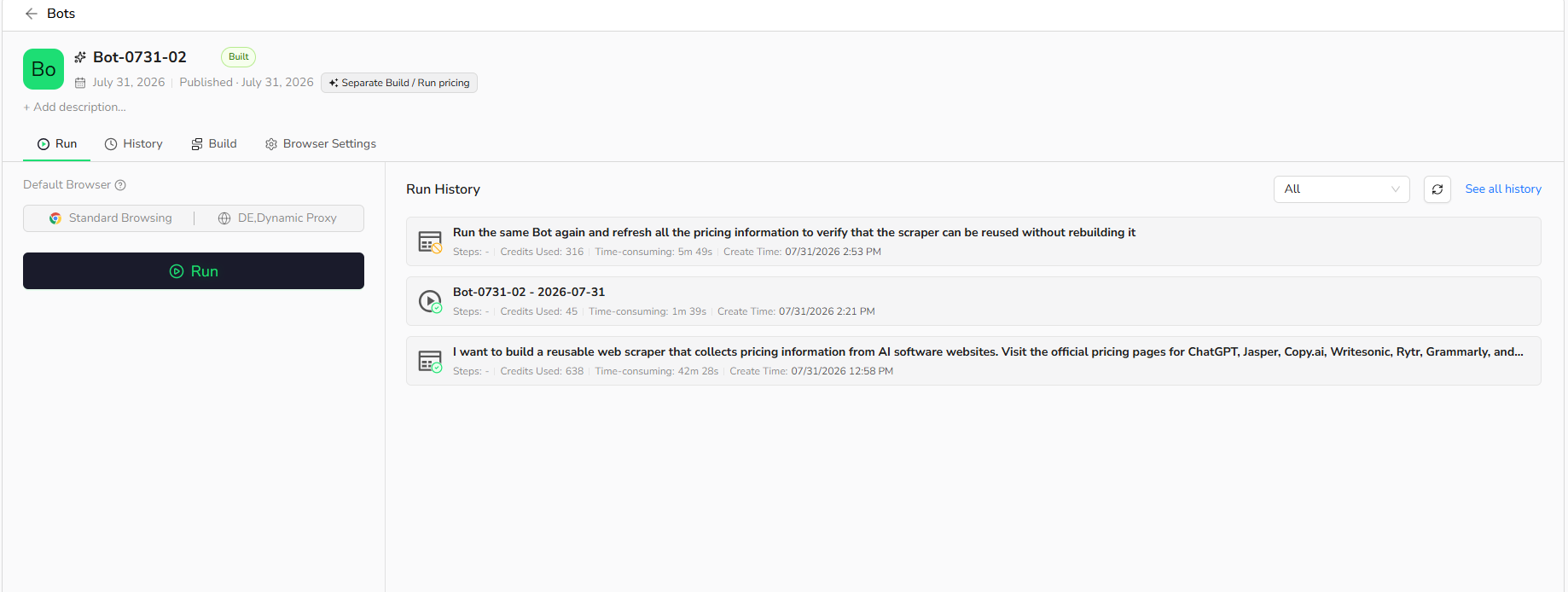
Opening a completed run shows the result right there, previewed as a table before you download anything. An Output panel sits at the top with a download menu offering Markdown, CSV, XML, or JSON, so pulling the output to a spreadsheet is one click from the same screen the run finished on.
For anyone who wants to go further, a tested Bot can also be triggered from outside BrowserAct entirely, through the REST API or through Make, n8n, and Zapier, so a Bot built once in the Agent chat can feed straight into a larger automation instead of being rerun by hand each time.
Where BrowserAct Fits Best
After spending time with it, a few practical use cases stood out beyond my own test:
Market research teams tracking competitor pricing across dozens of sites. Affiliate marketers comparing product features before writing a review. Lead generation teams pulling structured business information from public directories. E-commerce sellers tracking listing and price changes. Developers who'd rather not maintain another scraping script for a task that doesn't need one.

What I Liked
The confirmation step before building was the standout for me. Instead of quietly guessing what I meant, it stated its assumptions (currency per region, "not stated" instead of guessed values) and waited for a yes. That's a small thing, but it's the difference between trusting a table of numbers and having to double check every cell yourself.
The self-correction was the other surprise. During the run, it caught a couple of its own mistakes before ever showing me a result: a stray case study figure on Copy.ai's page that looked like a price but wasn't and a per-seat add-on charge on Writesonic that wasn't the actual starting price. Instead of shipping those wrong numbers, it flagged them as defects and fixed the extraction logic before the final table came back. I didn't have to spot either error myself, which is usually the part of manual scraping that eats the most time.
Where It Could Improve
No tool is perfect, and this section matters more than the previous one for trust.
The currency inconsistency is the main one. Because prices reflect whatever the target site shows for the run's network region, ChatGPT, Grammarly, and Quillbot came back in euros while the others came back in dollars. It's not wrong, since that's genuinely what each page displayed, but it means you can't drop the table straight into a comparison post without converting everything to one currency yourself first.
The other limitation is honesty rather than a flaw exactly: Rytr and Grammarly present their plans only inside a comparison table rather than individual plan cards, so their "main features" field came back as "not stated" instead of a guess. I'd rather have an honest gap than a fabricated feature list, but it does mean the output needs a quick manual pass if you want every column filled for every product.
BrowserAct vs. Traditional Scraping Scripts
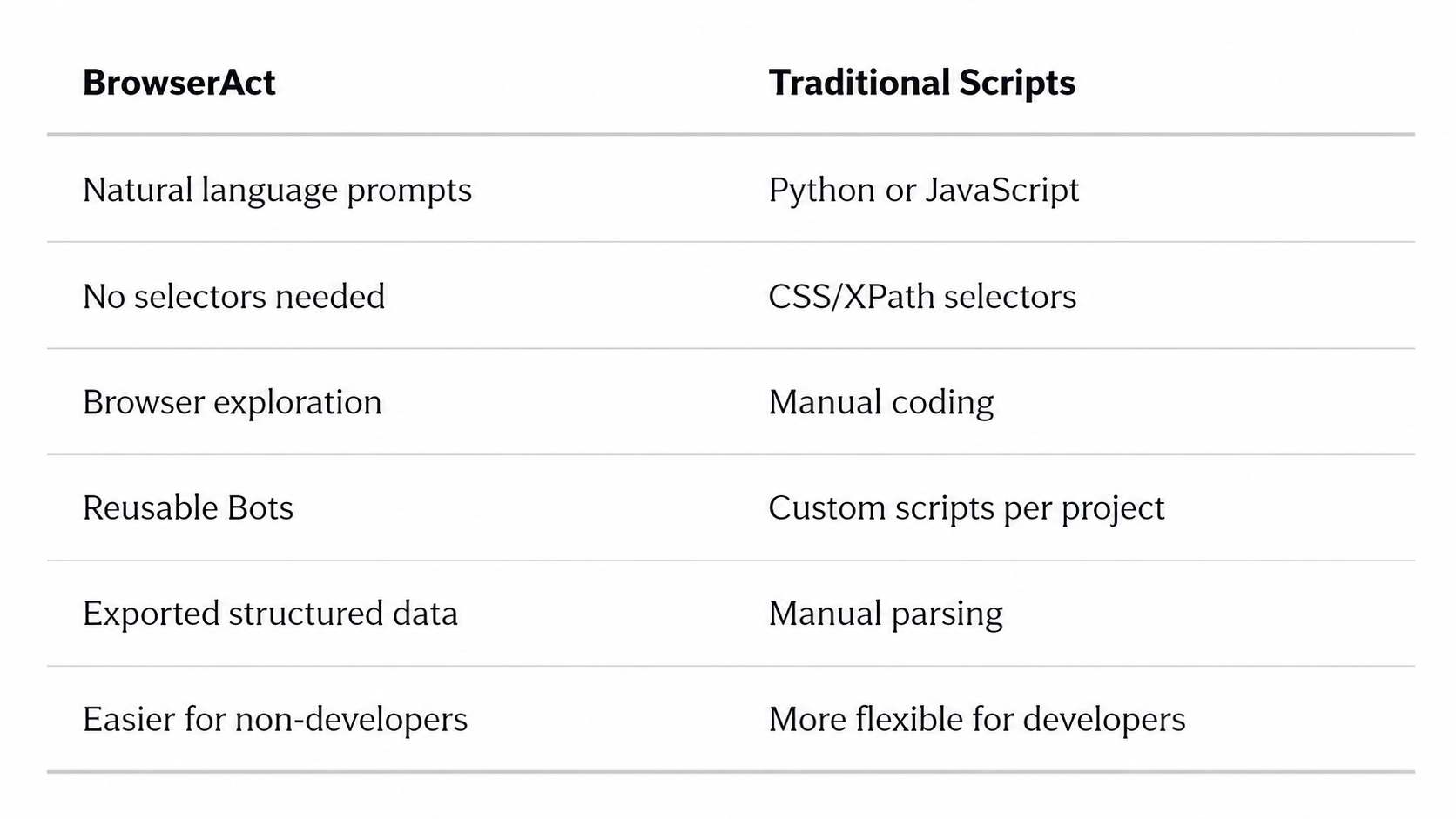
Traditional scraping frameworks still make sense for highly customized or large-scale projects where a developer wants full control. But for anyone who just needs repeatable web data without maintaining scraping infrastructure, an AI web scraper like BrowserAct is a much more approachable starting point.
Who Should Consider It
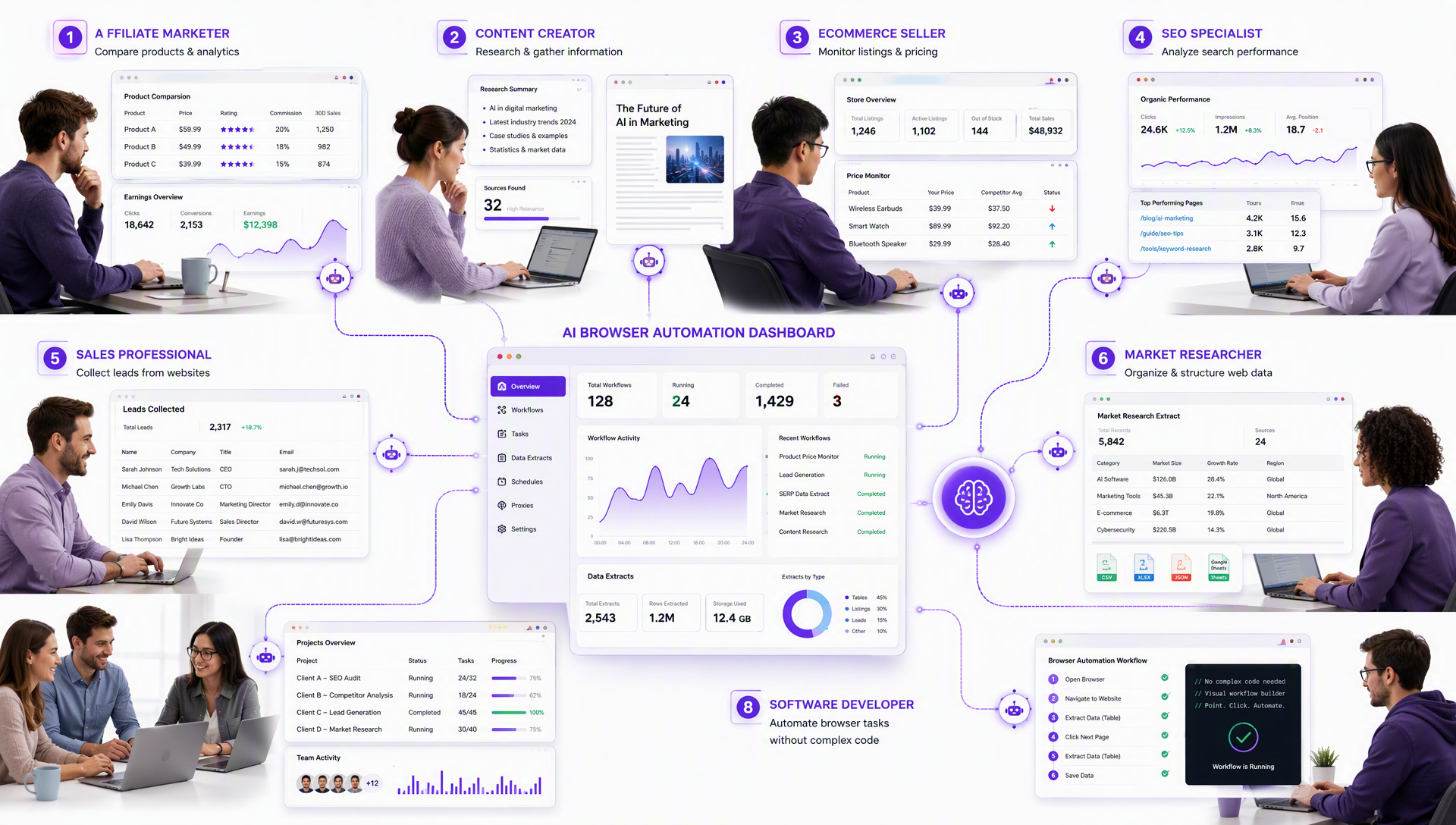
Based on this test, BrowserAct seems like a good fit for affiliate marketers, content creators, e-commerce sellers, SEO professionals, sales teams, researchers, agencies, and anyone building automation workflows who doesn't want to own a scraping codebase. Developers may still reach for it too, just to save time on repetitive extraction jobs that don't justify writing custom code.
Should You Build Your Next Scraper With BrowserAct?
Web scraping has long been treated as a developer-only skill. BrowserAct takes a different route: describe the data you need in plain language, and it builds a reusable extraction workflow around that request.
Traditional scraping frameworks aren't going anywhere, and they still win for advanced, highly customized projects. But for teams that just need reliable, repeatable access to structured web data, this AI web scraper approach removes a lot of the friction that used to sit between "I need this data" and actually having it.
My test showed how quickly a real business task, in this case SaaS pricing data collection, can go from a plain English prompt to organized results, all without writing a single line of scraping code. The export step needed a quick check-in with support while a recent product update caught up with the docs, but that's already resolved.
If collecting public web data is a recurring part of your work, that's the actual test worth running yourself: describe the data you need in one prompt and see what comes back.
If you're a developer who wants more direct control over the browser rather than working through the chat and workflow builder, BrowserAct also has an open-source CLI worth a look.
Ready to skip the selectors and the maintenance headaches? Try BrowserAct and turn your next data request into a reusable Bot in the time it takes to type a sentence.
I regularly share practical AI strategies, content systems, and online business frameworks for creators and entrepreneurs. Follow for more actionable insights you can use immediately.
Source: Medium



No 22,Astalakshmi Nagar, Thanakankullam, (Opp Seetha lakshmi Mill gate Bus stop) Thirunagar, Madurai - 625 006.
(Corporate Office)


Canada Office address, 1150, Rue Patrick, Laval, Quebec - H7Y 2C4, Canada.
(Sales Office)


Halloween
Offers

 Artificial Intelligence
- AI Development
- AI Predictive Analytics Services
- AI SaaS Development
- RAG Development
- AI Assistant Development
- ChatGPT Development
- Data Analytics Services
- AI Copilot Development
- Adaptive AI Development
- Machine Learning Development
- NLP
- AI Consulting Services
- AI Software Builder
- AI Token Development
- AI Integration Services
- Enterprise AI Solution
- AI As a Service
- AI Marketing Tools
- AI Video Generator
- Computer Vision Services
- Explore AI
- Dataset
- Machine Learning in Healthcare
- Machine Learning in Retail
- Hire AI Engineers
- Hire Prompt Engineers
- Hire ChatGPT Developers
- Hire Stable Diffusion Developers
- Hire Action Transformer Developers
- Blockchain
- Blockchain Development
- Private Blockchain Development
- Smart Contract Development
- Custom Blockchain Development
- Solana Blockchain Development
- Polygon Blockchain Development
- Public Blockchain Development
- DAO Blockchain Development
- Binance Smart Chain (BSC) Blockchain Development
- DApp Development
- Solana DApp Development
- White Label Blockchain Solutions
- Custom Blockchain On Avalanche
- Custom Blockchain On Polygon
- Blockchain Game Development
- Blockchain Consulting Services
- Blockchain Explorer Development
- Ethereum Blockchain Development
- TRON Blockchain Development
- Prediction Market Platform Development Company
Layer 1 & 2 Solutions- Layer-1 Blockchain Development
- Cross Chain Bridge Development
- Data Availability Layer Development
- Ethereum Layer 2 Scaling Solutions
- Cross-L2 DEX Solution
- Layer 2 Token Development
- Layer 2 Token Marketing
- Layer 2 Cryptocurrency Development
- Layer 2 Solutions For Blockchain Games
- Layer 2 Solutions For Web3 Gaming
- Layer 2 Blockchain Solutions
- Rollups As A Service
- Optimistic Rollups Development
- ZK Tech Development
- Bitcoin Layer 2 Solutions
Crypto Exchange- Cryptocurrency Exchange Development
- White Label Crypto Exchange
- Decentralized Exchange Development
- P2P Exchange Development
- Crypto Derivatives Exchange Development
- Centralized Exchange Development
- Crypto Exchange Clone Script
- Cryptocurrency Exchange App Development
- OTC Exchange Development
- Exchange Listing Services
- Binance Like Exchange Development
- Bitstamp Like Exchange Development
- Crypto Exchange Script
CryptoCrypto WalletToken Standards- Token Development
- AI Token Development
- RWA Tokenization Development
- Coinremitter Clone Script
- Asset Tokenization
- Real Estate Tokenization
- Tokenization Platform Development
- Crypto ETF Development
- Solona Token Development
- Semi-Fungible Token Development
- BEP20 Token Development
- Ethereum Token Development
- ERC1400 Token Development
- ERC998 Token Development
- ERC 721 Token Development
- ERC20 Token Development
- Defi Token Development
- ERC1155 Token Development
- BEP721 Token Development
- Utility Token Development
- ERC 777 Token Development
- ERC 827 Token Development
- Social Token Development
- Metaverse Token Development
- Tron Token Development
- ERC404 Token Development
- Governance Token
- Shibarium Token
- polygon Token
- BRC-20
- TRC20 Token Development
- TRC10 Token Development
- Soulbound Token Development
- NFT Token Development
Trading BotsClone- Crypto Exchange Clone Script
- Binance Clone Script
- Metamask Clone Script
- Coinbase Clone Script
- Kucoin Clone Script
- Paxful Clone Script
- Remitano Clone Script
- Wazirx Clone Script
- ByBit Clone Script
- Bitfinex Clone Script
- MEXC Clone Script
- Bitget Clone Script
- Cointool App Clone Script
- Trust Wallet Clone App
- Coinmarketcap Clone Script
- Changelly Clone Script
- BingX Clone Script
CybersecurityApp SecurityDigital Forensics & Incident ResponseAudit & ConsultingEducation & TrainingSolutionsWeb 3DeFi- Decentralized Finance (DeFi) Development
- DeFi Lending/ Borrowing Platform Development
- DeFi Staking Platform Development
- DeFi Token Development
- DeFi Wallet Development
- DeFi Smart Contract Development
- DeFi DApp Development
- Decentralized Exchange Development
- DeFi Insurance Development
- DeFi Crypto Synthetic Assets Development
Game Development- Game Development
- Android Game Development
- IOS Game Development
- Metaverse Game Development
- VR Game Development
- AI Game Development
- Unity 3D Game Development
- Unreal Engine Game Development
- Mobile Game Development
- Blockchain Game Development
- NFT Game Development
- Play to Earn Game Development
- Move to Earn Game Development
- Casino Game Development
- Slot Game Development
- Poker Game Development
- AAA Game Development
- AR Game Development
- Social Network Game Development
- Gamification Services
- Decentralized Sports Betting Platform
- Sports Betting Dapp Development
- Blockchain Casino Game Development
- Game Asset Creation
- Baccarat Game Development
- Rollbit Clone Script
- Fortnite Clone Script
- Slot Game Development
- Tap to Earn Game Development
- Slot Game Development
Metaverse Platforms- Metaverse Game Development
- Metaverse Event Platform Development
- Metaverse Virtual Mall Development
- Metaverse NFT Marketplace Development
- Metaverse Token Development
- Metaverse Virtual Land Development
- Metaverse Avatar Development
- Metaverse 3d Space Development
- Metaverse Real Estate Development
- Metaverse Social Media Platform Development
- Top 10 Metaverse Development Company
- Metaverse Business Ideas
- Metaverse Launchpad Development
- Metaverse App Development
- Metaverse Casino Game Development
NFT SolutionsNFT Platforms- NFT Minting Development
- NFT Token Development
- NFT Exchange Platform Development
- NFT Launchpad Development
- NFT Fashion Marketplace Development
- NFT Art Marketplace Development
- NFT Music Marketplace Development
- Carbon Credits NFT Marketplace Development
- Binance NFT Marketplace Development
- Polygon NFT Marketplace Development
- Solana NFT Marketplace Development
- Influencers NFT Marketplace Development
- NFT Ticketing Marketplace Development
- DeFi NFT Marketplace Development
- NFT Fantasy Sports Platform Development
- NFT Storage Development
- NFT Lending Platform Development
- Top10 NFT Business Ideas
NFT Game ClonesSustainabilityServiceNow - Blog
- Contact Us
- Works